Three storefront widgets
Stories, Carousel and Grid are theme app blocks. Add one to any section in the theme editor and style it there: card size, spacing, colours, playback on hover or always.

Upload the videos you already make, tag the products in them, and publish Stories, Carousel or Grid widgets to your Shopify theme. Shoppers watch, tap a product and add to cart without leaving the page.
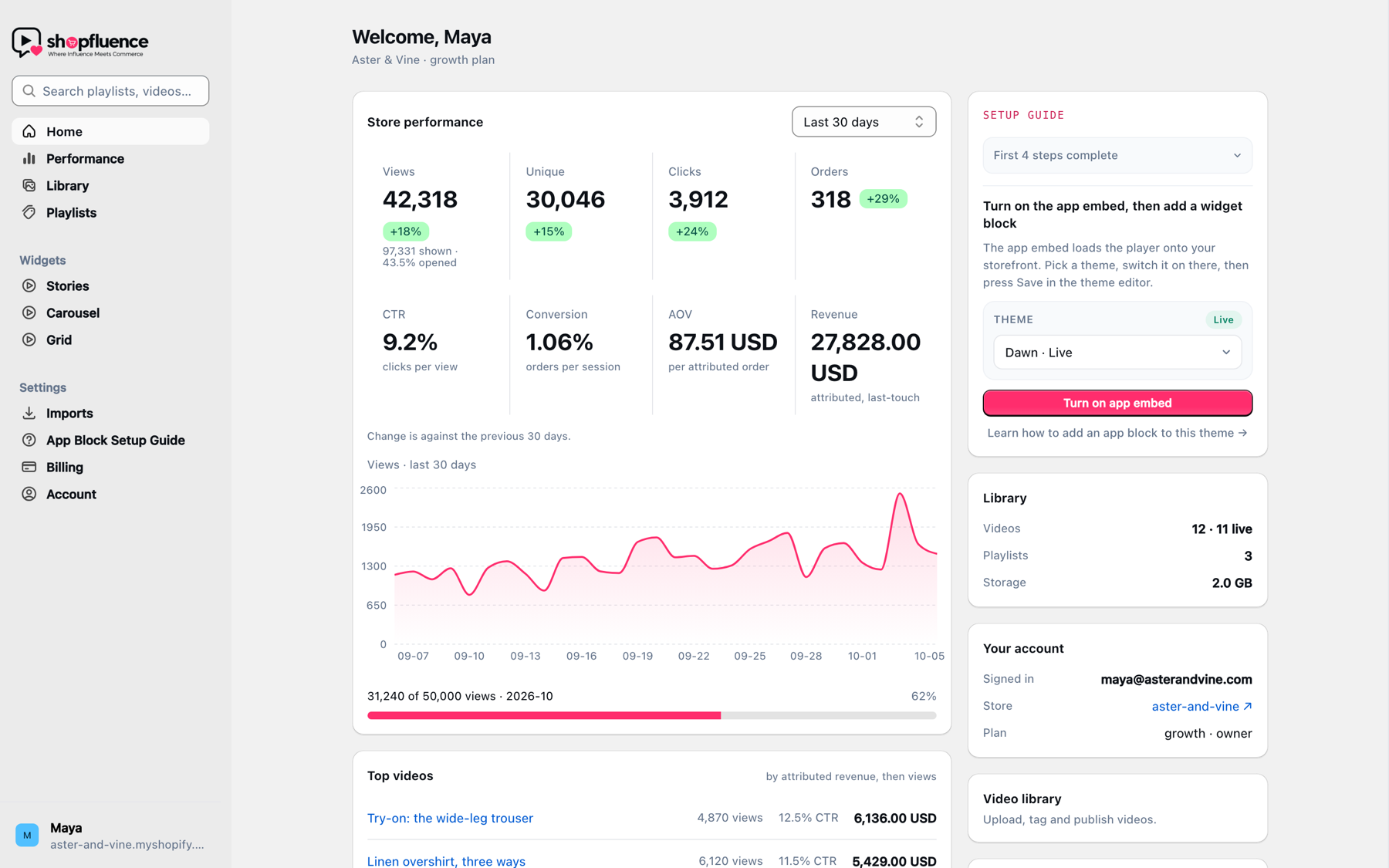
Shopfluence is a Shopify app with a dashboard for your team and a lightweight player for your storefront. No agency, no custom theme work.
Stories, Carousel and Grid are theme app blocks. Add one to any section in the theme editor and style it there: card size, spacing, colours, playback on hover or always.
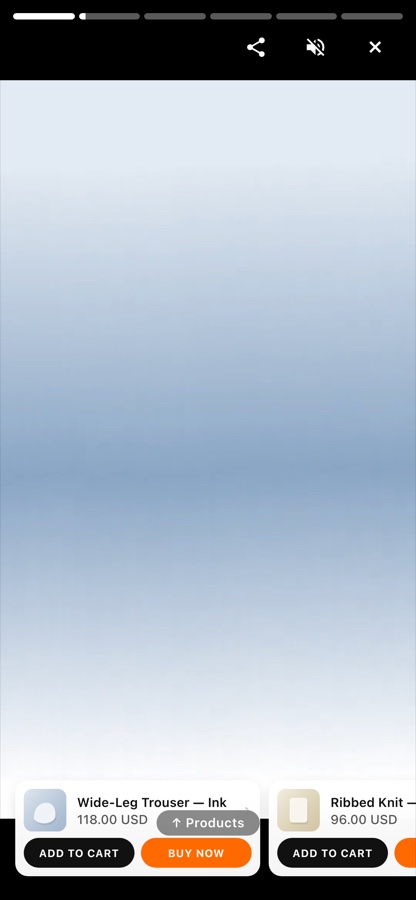
Tag any products from your catalog. In the full-screen player they appear as tiles with Add to Cart and Buy Now, plus a Shop Now sheet with variants and stock status.
Views, clicks and CTR per video, and on paid plans orders, revenue, conversion and average order value, attributed last-touch through Shopify orders.
Group videos into playlists, set a default playlist per widget, or pin a specific playlist to a block. Reorder by drag and drop.
The player waits for the first scroll before it fetches anything, streams adaptive HLS at 360p, 540p and 720p, and only previews cards that are on screen.
Five steps from first upload to a live block, with deep links straight into your theme editor for the app embed and the block.
Drop in MP4, MOV, MKV or WebM files up to 500 MB, several at a time. Shopfluence transcodes them to adaptive HLS and picks a thumbnail you can replace.
Search your Shopify catalog and tag the products featured in each video. There is no limit on tagged products.
Put videos into a playlist, switch on the Shopfluence app embed, and add a Stories, Carousel or Grid block to your theme.
Watch views become clicks and clicks become orders. Every metric is per video, per playlist and for the whole store.
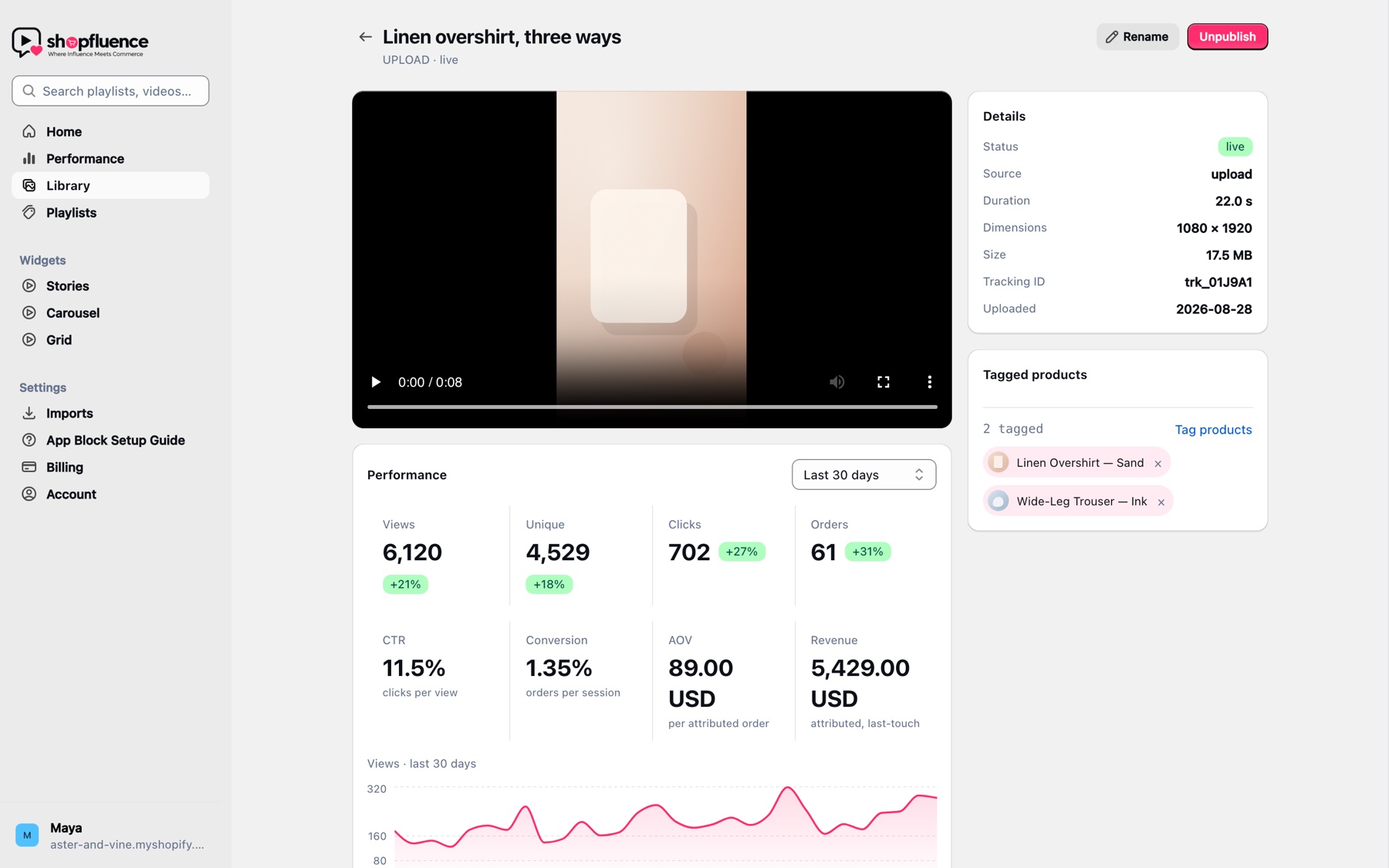
Open a video, search your catalog, tag the products. The storefront player shows them as tiles with Add to Cart and Buy Now, and a Shop Now sheet handles variants, compare-at prices and sold-out options using your store’s live stock.
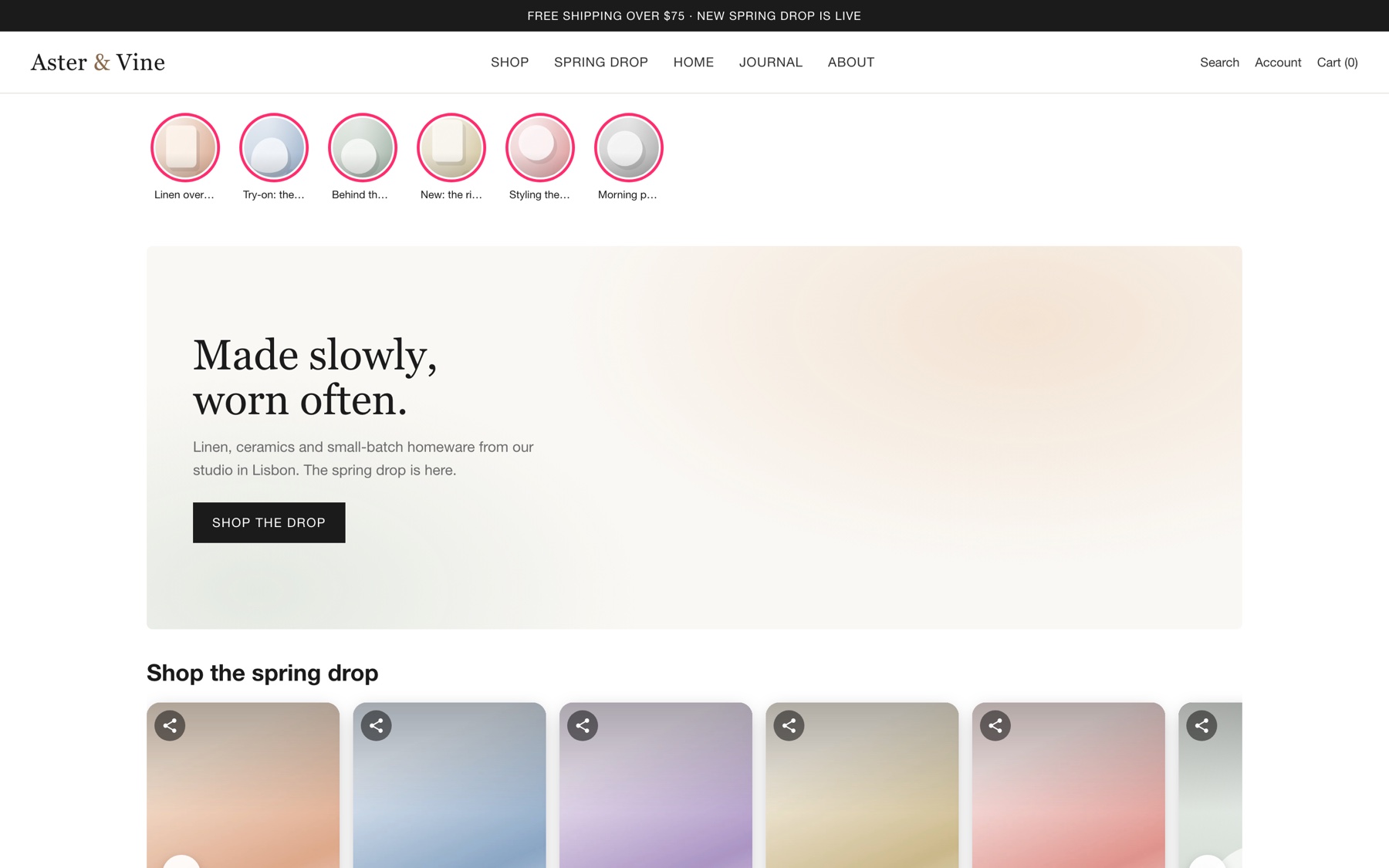
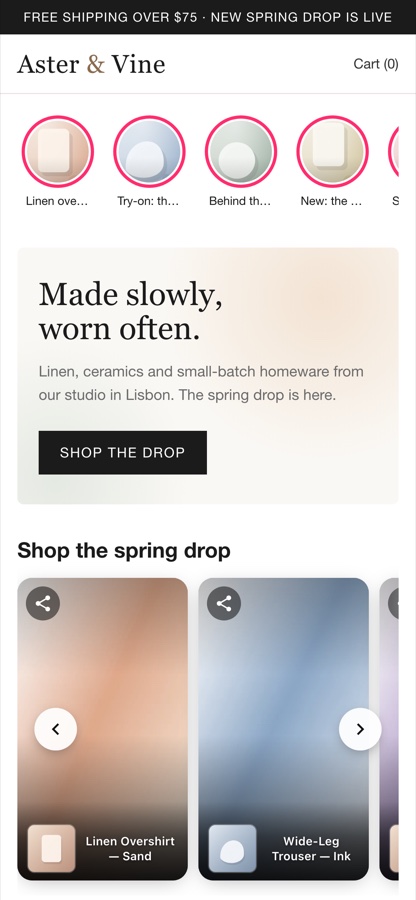
Stories puts a strip of circles under your header. Carousel is a scrolling row of 9:16 cards with product chips. Grid is a wall for a “shop the feed” page. All three are Online Store 2.0 app blocks, so your theme’s own settings panel controls how they look.
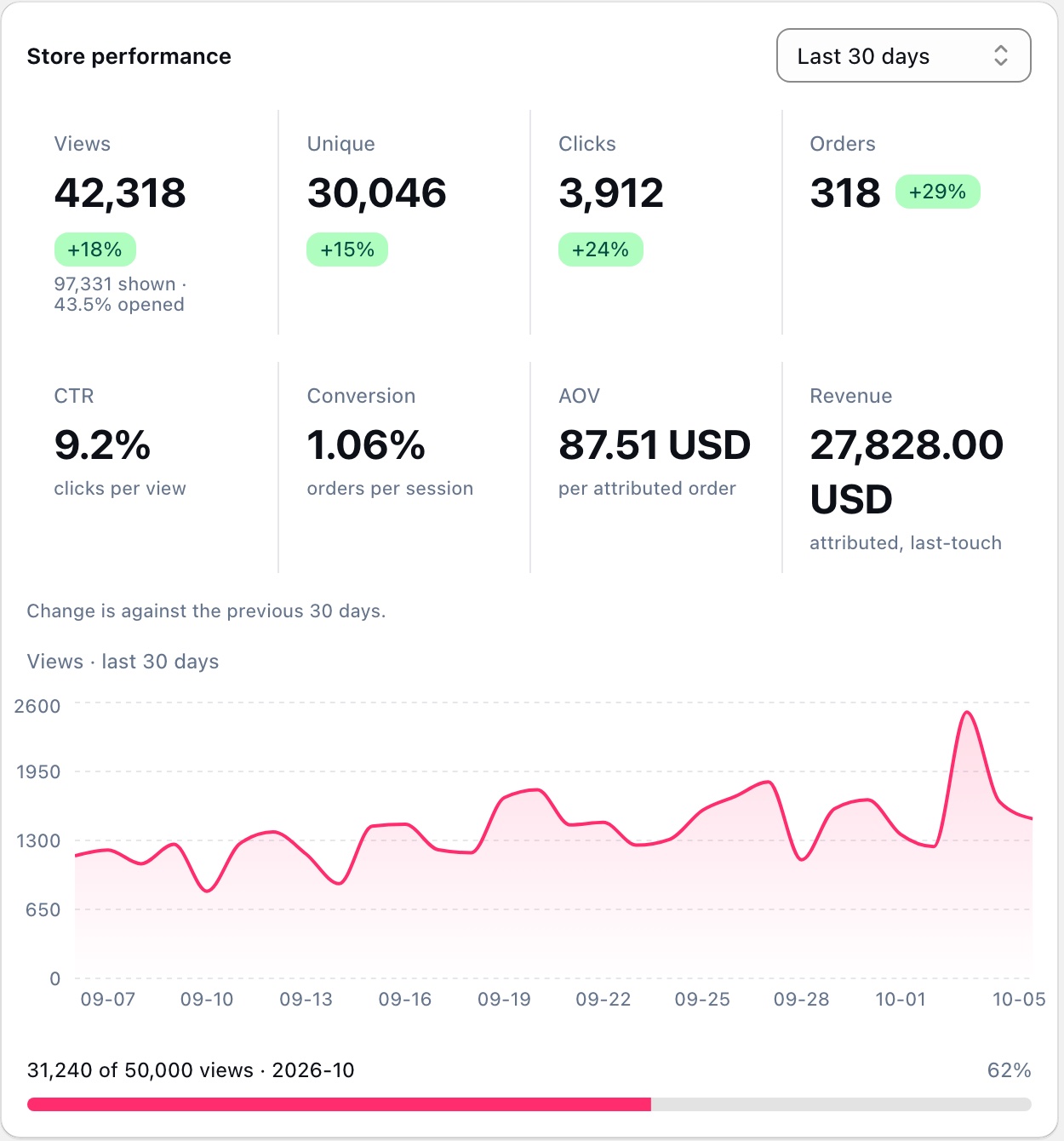
Views are full-screen opens, impressions are cards scrolled past, clicks are product taps. On Growth and Scale, orders and revenue are attributed to the last video a shopper interacted with, through Shopify’s order data and the checkout pixel.
Install for free, choose a plan inside the app, and Shopify bills it with the rest of your store.
For stores trying shoppable video for the first time.
For growing brands that want to know which videos drive orders.
For brands operating at meaningful content volume.
Install from the Shopify App Store, upload your first video and have a block live on your theme in an afternoon. The Free plan needs no card.